SQUASHTV.local Cam Control
Cam Control is an app where users can start/stop different streams.
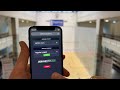
Login
- enter your Username
- enter your Password
- click Login
Start Streaming
- select the Court
- select the Stream
- click Start
Once a stream has started, it may take a while for the stream to be live on YouTube.
Stop Streaming
- select the Court
- select the Stream
- click Stop